> ## Documentation Index
> Fetch the complete documentation index at: https://docs.duvo.ai/llms.txt
> Use this file to discover all available pages before exploring further.
# Calendar Summary
> Build a Duvo agent that summarizes your upcoming week from Google Calendar and emails you a formatted report.
**Time to complete:** 10 minutes
**Difficulty:** Beginner
**Prerequisites:** Google Calendar connection, Gmail connection
**You'll build:** An agent that summarizes your upcoming week and sends you a report
### Why Automate This?
**The Problem**: Monday mornings start with scrambling through your calendar, trying to remember what's coming up this week. Important meetings get forgotten. Prep time gets missed. And you never have a clear view of your week until you've spent 15 minutes clicking through each day.
**The Solution**: A Duvo agent that analyzes your calendar, identifies important meetings, and sends you a nicely formatted weekly summary—delivered to your inbox before your week begins.
**Expected Results**:
* Start each week fully prepared
* Never miss an important meeting
* Identify schedule conflicts in advance
* Know which meetings need prep time
* Save 15+ minutes of calendar review each week
***
### What You'll Build
By the end of this tutorial, you'll have an agent that:
1. Pulls all events from your calendar for the upcoming week
2. Identifies high-priority meetings
3. Highlights meetings with important contacts
4. Creates a formatted summary with key details
5. Sends the report to your email
***
### Before You Start
Make sure you have these ready:
**Google Calendar connection** - Connect your calendar. [Connect connection](/user-guide/connections/how-to-add-connection)
**Gmail connection** - For sending the summary report. [Connect connection](/user-guide/connections/how-to-add-connection)
***
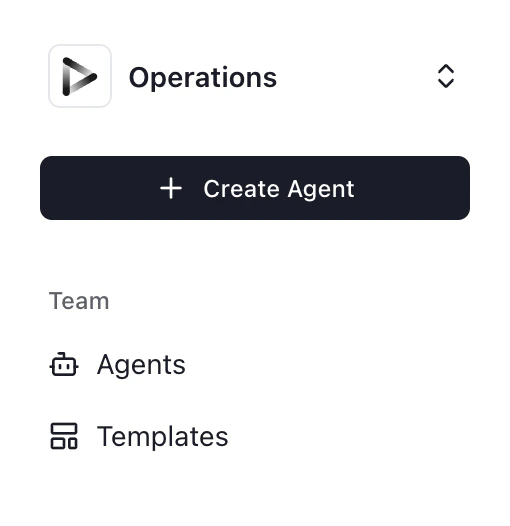
1. Click **"+ Create Agent"** from your dashboard
2. Select **"Use Agent Builder"** (recommended for this tutorial)
 Paste this prompt into the Agent Builder:
```
Summarize calendar events for the upcoming week and send a report via email. Highlight important meetings.
Steps:
1. Get all events from my Google Calendar for the next 7 days
2. For each event, extract:
- Event title
- Date and time
- Duration
- Location or video call link
- Attendees
- Description/agenda
3. Categorize events as:
- High Priority: meetings with executives, clients, or 5+ attendees
- Prep Needed: interviews, presentations, or events with "review" in title
- Recurring: 1:1s, standups, team meetings
- Other: everything else
4. Create a summary report with:
- Total number of meetings this week
- Total hours in meetings
- Day-by-day breakdown
- High priority meetings highlighted at the top
- Meetings that need prep time flagged
- Any scheduling conflicts noted
5. Send the report to my email with subject "Your Week Ahead - [Date Range]"
```
Click **"Generate"** to create the agent AOP.
Review to ensure:
* Your calendar is correctly identified
* Priority criteria match your preferences
* Report format meets your needs
Click **"Connections"** and connect:
1. **Google Calendar** - To read your events
2. **Gmail** - To send the summary report
1. Click **"Run Agent"**
2. Review the generated summary
3. Check your email for the report
Paste this prompt into the Agent Builder:
```
Summarize calendar events for the upcoming week and send a report via email. Highlight important meetings.
Steps:
1. Get all events from my Google Calendar for the next 7 days
2. For each event, extract:
- Event title
- Date and time
- Duration
- Location or video call link
- Attendees
- Description/agenda
3. Categorize events as:
- High Priority: meetings with executives, clients, or 5+ attendees
- Prep Needed: interviews, presentations, or events with "review" in title
- Recurring: 1:1s, standups, team meetings
- Other: everything else
4. Create a summary report with:
- Total number of meetings this week
- Total hours in meetings
- Day-by-day breakdown
- High priority meetings highlighted at the top
- Meetings that need prep time flagged
- Any scheduling conflicts noted
5. Send the report to my email with subject "Your Week Ahead - [Date Range]"
```
Click **"Generate"** to create the agent AOP.
Review to ensure:
* Your calendar is correctly identified
* Priority criteria match your preferences
* Report format meets your needs
Click **"Connections"** and connect:
1. **Google Calendar** - To read your events
2. **Gmail** - To send the summary report
1. Click **"Run Agent"**
2. Review the generated summary
3. Check your email for the report
 **What to check**:
* Did it capture all your meetings?
* Are high-priority meetings correctly identified?
* Is the formatting easy to read?
* Did the email arrive?
Set up automatic Sunday evening delivery:
1. Go to **Agent Settings** > **Schedule**
2. Select **Weekly** on **Sunday** at **6:00 PM**
3. Save settings
Your weekly summary will be waiting in your inbox every Monday morning.
***
### Expected Results
When your agent runs successfully, you should see:
**In your inbox**:
* Formatted weekly summary email
* High-priority meetings at the top
* Day-by-day breakdown
* Meeting stats (total meetings, hours)
* Links to video calls
**Example report format**:
```
YOUR WEEK AHEAD: Nov 18-22
Overview: 23 meetings | 18.5 hours
HIGH PRIORITY
- Mon 10am: Q4 Board Review (3hr) - Prep needed
- Wed 2pm: Client Demo - Acme Corp (1hr)
- Fri 11am: Executive Sync (1hr)
MONDAY (6 meetings, 4.5 hrs)
- 9:00 AM: Team Standup (30min)
- 10:00 AM: Q4 Board Review (3hr)
...
```
**In Duvo**:
* Execution log showing events processed
* Any conflicts or issues flagged
***
### Troubleshooting
* **Re-authorize**: Google permissions may have expired
* **Correct calendar**: Ensure agent is reading the right calendar (work vs personal)
* **Calendar visibility**: Check that calendar isn't set to private
* **All-day events**: May need separate handling in AOP
* **Recurring events**: Verify recurring events are being expanded
* **Time zone**: Ensure calendar and agent use same timezone
* **Refine criteria**: Adjust what constitutes "high priority" in AOP
* **Add VIP list**: Create a list of important contacts in Files
* **Keywords**: Add more keywords that indicate important meetings
* **Gmail connection**: Re-authorize if needed
* **Spam folder**: Check if summary went to spam
* **Send permission**: Verify agent has permission to send email
* **HTML rendering**: Some email clients display differently
* **Long events**: May need truncation for readability
* **Links**: Ensure video call links are clickable
***
### Take It Further
Once your basic agent is working, consider these enhancements:
```
I have important contacts I always want highlighted:
- Sarah Chen (CEO)
- Mike Rodriguez (key client)
- Jennifer Park (board member)
Any meeting with these people should be marked as High Priority regardless of other criteria.
```
```
For meetings marked as "Prep Needed":
- List the event 2 days before
- Identify what materials might be needed
- Suggest blocking 30 min prep time before
Include a "This Week's Prep List" section in the report.
```
```
For in-person meetings:
- Look up the location
- Estimate travel time from my office
- Flag if back-to-back meetings have location conflicts
- Suggest departure time
```
```
Include events from both my work calendar and personal calendar.
Mark personal events in a separate section.
Flag any conflicts between work and personal events.
```
```
For each meeting, also include:
- Last time I met with these attendees
- Summary of previous meeting notes (if in email)
- Any relevant emails from attendees in past week
```
Personalize your summary. [Learn about Agent Memory](/user-guide/assignment-features/assignment-memory)
* *"Always highlight meetings with anyone from the sales team. I consider any meeting over 1 hour as potentially prep-needed. Send my summary at 5 PM Sunday Pacific time."*
***
### Related Resources
Customize priority criteria and VIP lists
Teach the agent which meetings are important to you
Connect Google Calendar and Gmail
Upload VIP contact lists
**What to check**:
* Did it capture all your meetings?
* Are high-priority meetings correctly identified?
* Is the formatting easy to read?
* Did the email arrive?
Set up automatic Sunday evening delivery:
1. Go to **Agent Settings** > **Schedule**
2. Select **Weekly** on **Sunday** at **6:00 PM**
3. Save settings
Your weekly summary will be waiting in your inbox every Monday morning.
***
### Expected Results
When your agent runs successfully, you should see:
**In your inbox**:
* Formatted weekly summary email
* High-priority meetings at the top
* Day-by-day breakdown
* Meeting stats (total meetings, hours)
* Links to video calls
**Example report format**:
```
YOUR WEEK AHEAD: Nov 18-22
Overview: 23 meetings | 18.5 hours
HIGH PRIORITY
- Mon 10am: Q4 Board Review (3hr) - Prep needed
- Wed 2pm: Client Demo - Acme Corp (1hr)
- Fri 11am: Executive Sync (1hr)
MONDAY (6 meetings, 4.5 hrs)
- 9:00 AM: Team Standup (30min)
- 10:00 AM: Q4 Board Review (3hr)
...
```
**In Duvo**:
* Execution log showing events processed
* Any conflicts or issues flagged
***
### Troubleshooting
* **Re-authorize**: Google permissions may have expired
* **Correct calendar**: Ensure agent is reading the right calendar (work vs personal)
* **Calendar visibility**: Check that calendar isn't set to private
* **All-day events**: May need separate handling in AOP
* **Recurring events**: Verify recurring events are being expanded
* **Time zone**: Ensure calendar and agent use same timezone
* **Refine criteria**: Adjust what constitutes "high priority" in AOP
* **Add VIP list**: Create a list of important contacts in Files
* **Keywords**: Add more keywords that indicate important meetings
* **Gmail connection**: Re-authorize if needed
* **Spam folder**: Check if summary went to spam
* **Send permission**: Verify agent has permission to send email
* **HTML rendering**: Some email clients display differently
* **Long events**: May need truncation for readability
* **Links**: Ensure video call links are clickable
***
### Take It Further
Once your basic agent is working, consider these enhancements:
```
I have important contacts I always want highlighted:
- Sarah Chen (CEO)
- Mike Rodriguez (key client)
- Jennifer Park (board member)
Any meeting with these people should be marked as High Priority regardless of other criteria.
```
```
For meetings marked as "Prep Needed":
- List the event 2 days before
- Identify what materials might be needed
- Suggest blocking 30 min prep time before
Include a "This Week's Prep List" section in the report.
```
```
For in-person meetings:
- Look up the location
- Estimate travel time from my office
- Flag if back-to-back meetings have location conflicts
- Suggest departure time
```
```
Include events from both my work calendar and personal calendar.
Mark personal events in a separate section.
Flag any conflicts between work and personal events.
```
```
For each meeting, also include:
- Last time I met with these attendees
- Summary of previous meeting notes (if in email)
- Any relevant emails from attendees in past week
```
Personalize your summary. [Learn about Agent Memory](/user-guide/assignment-features/assignment-memory)
* *"Always highlight meetings with anyone from the sales team. I consider any meeting over 1 hour as potentially prep-needed. Send my summary at 5 PM Sunday Pacific time."*
***
### Related Resources
Customize priority criteria and VIP lists
Teach the agent which meetings are important to you
Connect Google Calendar and Gmail
Upload VIP contact lists