

Introduction
A Duvo agent is your automated teammate—a smart assistant that handles repetitive business tasks across your systems and tools without human intervention. Unlike traditional automation that follows rigid, pre-programmed rules, Duvo agents understand your goals and adapt to different situations.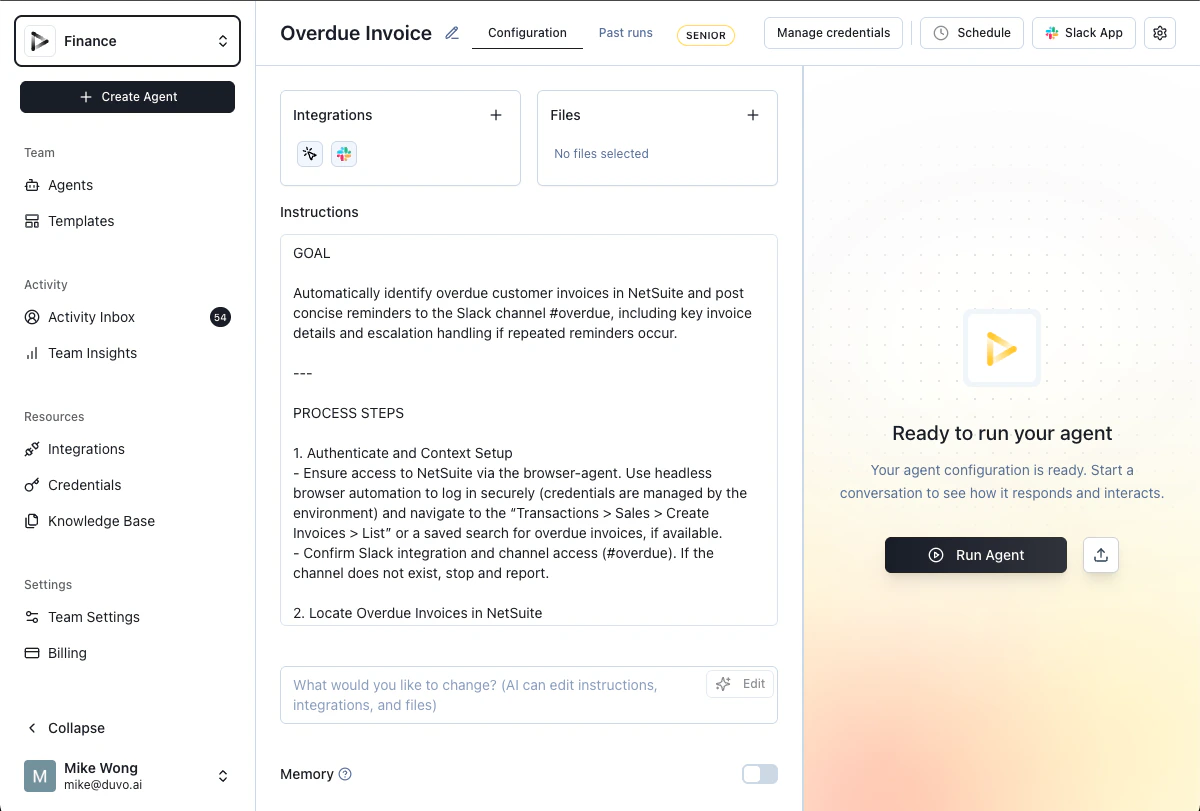
What Can Duvo Agents Do?
Duvo agents excel at cross-system workflows that move data and actions between multiple tools like CRMs, email, spreadsheets, and ERP systems. They handle repetitive processes you do the same way every time, such as processing orders, generating reports, or onboarding customers. Agents are perfect for data gathering and routing—collecting information from various sources and sending it to the right people or systems. They manage scheduled maintenance tasks that need to happen daily, weekly, or monthly, and handle form filling and data entry by navigating systems and inputting information accurately. They also provide monitoring and alerting by watching for specific conditions and notifying the right people when action is needed.Key Components of a Duvo Agent
Every Duvo agent operates as if it were you performing the task, using your logins and access to work seamlessly across your systems.Viewing Your Agents
The main Agents page shows all your agents and folders. Use the toggle in the top-right of the page to switch between grid view and list view — your preference is saved automatically.- Grid view: Displays each agent as a card showing its name, connections, and schedule status at a glance.
- List view: Shows agents in a compact table format, making it easier to scan and compare a large number of agents.