

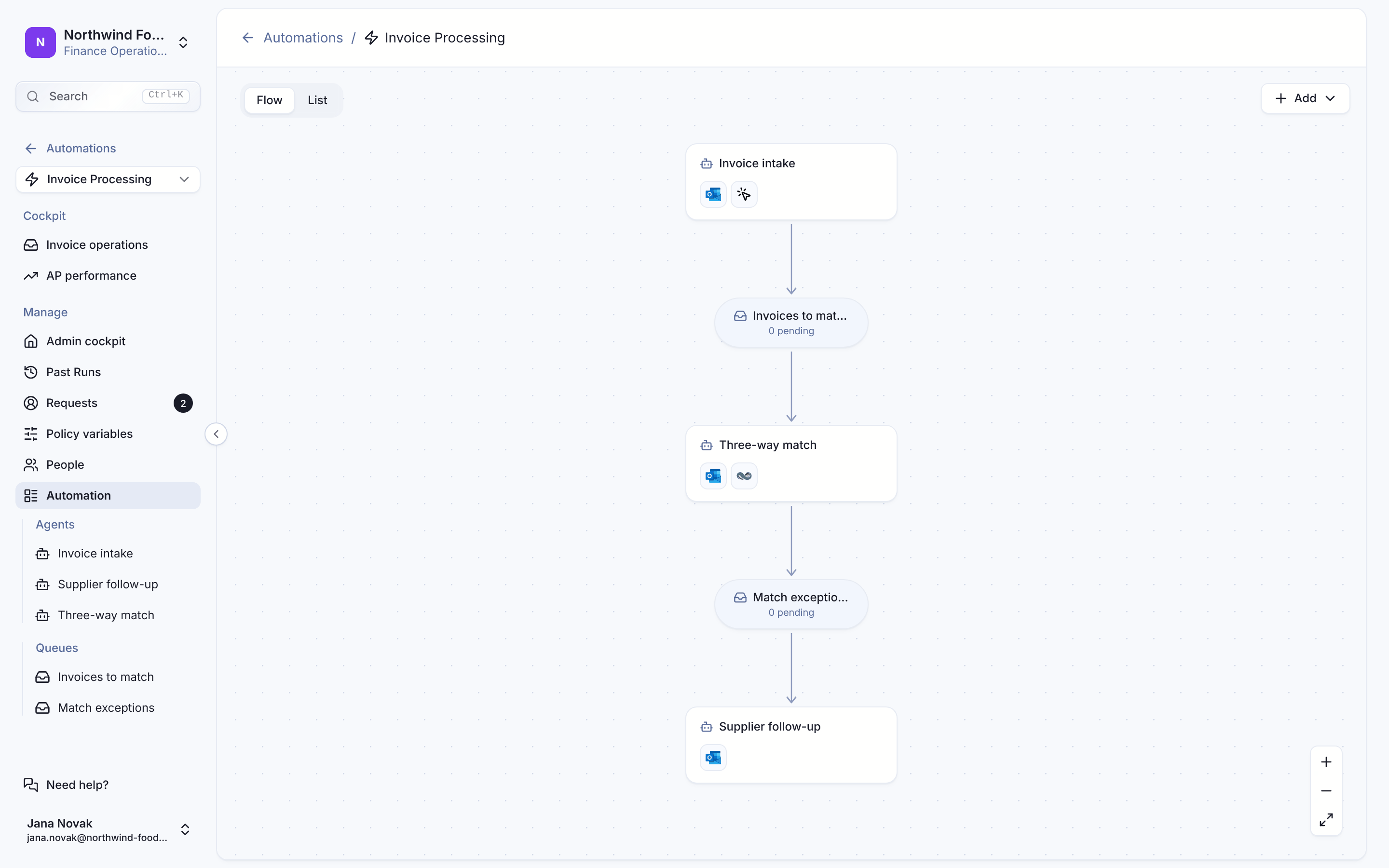
What’s in an Automation
A typical Automation chains Agents through Queues. In the example used throughout these pages, one Agent reads supplier invoices from a mailbox, a second matches them against purchase orders, and a third chases suppliers about mismatches:
Automations and standalone Agents
Before Automations, Agents and Queues stood on their own on the Agents and Queues pages. When your team moves to Automations:- Your existing Agents and Queues are grouped into Automations, one for each set of Agents and Queues that hand work to each other. They keep running exactly as before.
- The Agents and Queues pages open Automations instead, and a link to an Agent or Queue opens it inside its Automation.
- Every new Agent and Queue is created inside an Automation.
Two views of one Automation
An Automation serves two groups of people, and each has its own place in it:
People from outside your team can join a single process as Process Members. They see only the Cockpit dashboards and Cases their role allows.
Where things are
The left sidebar has team-wide pages, and every Automation has its own navigation.- Inside an Automation
People shows to Managers and above, on teams that belong to an organization. Some items appear only when your team has the product behind them, such as Pulse for dashboards.
Explore Automations
The Automations page
Find, filter, organize and pin your Automations, and read their status.
Create an Automation
Build a process from its first Agent to its first test Run.
Admin cockpit
For managers: see what needs attention, how the process is wired and which Connections it uses.
Cockpit
For operators: follow the process on its dashboards and work its Cases.
Agents and Queues
Add, wire and open the Agents and Queues in an Automation.
Past Runs and Requests
Follow each piece of work and answer what the process asks you.
Policy variables
Set the thresholds and rules every Run follows.
People and roles
Give people a role in the process and choose what each role sees.