

What counts as one run
An Automation run is one piece of work, followed from start to finish across the Agents it passes through. It starts when something triggers work and ends when that work is done or waiting.- A schedule that starts an Agent once is one run.
- When that Agent adds three Cases to a Queue, the first Case’s processing continues the same run, and each of the other two starts a run of its own.
- When a Case moves on to the next Agent, a retry happens, or someone answers a request, the work continues in the same run.
Past Runs
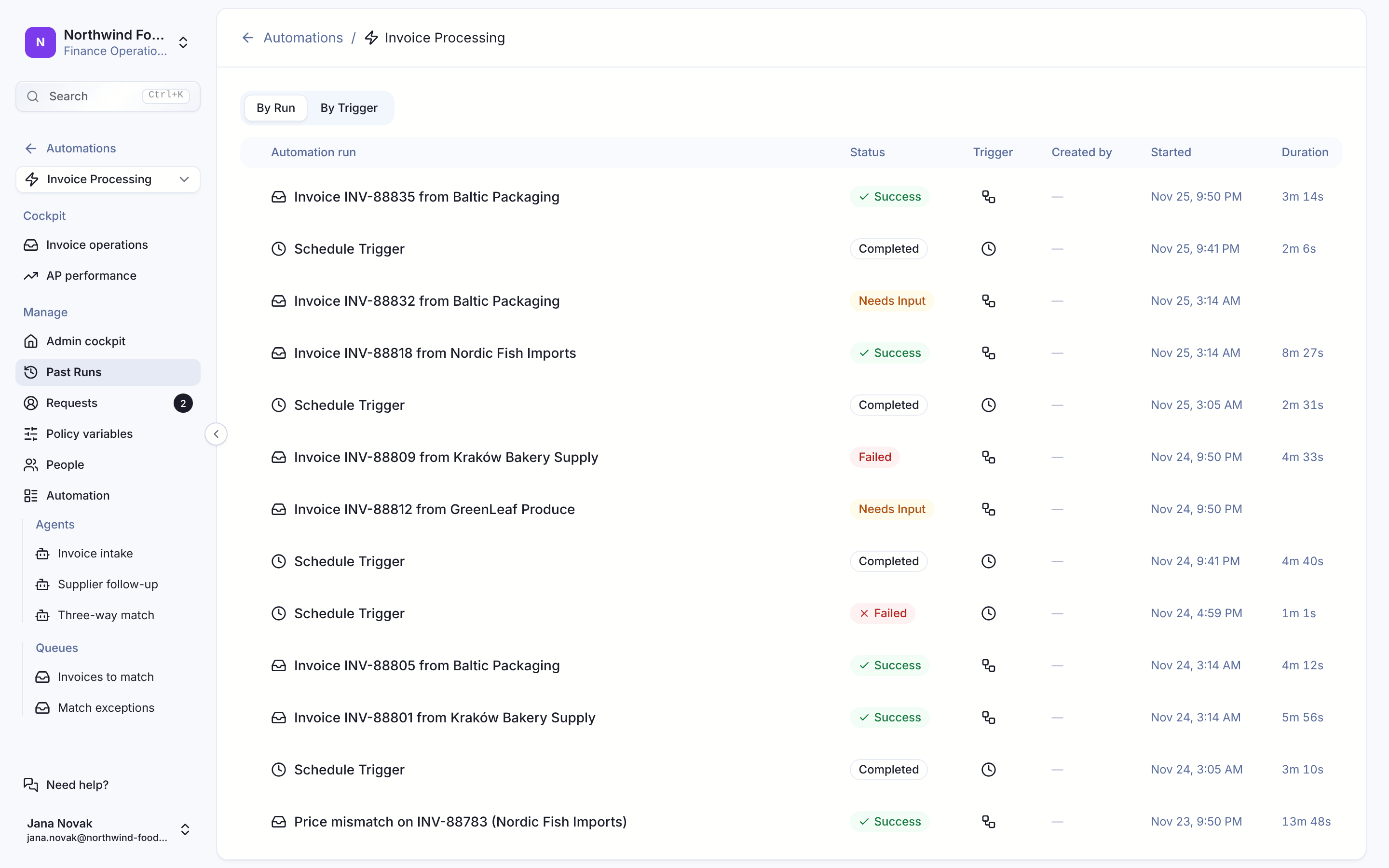
- By Run
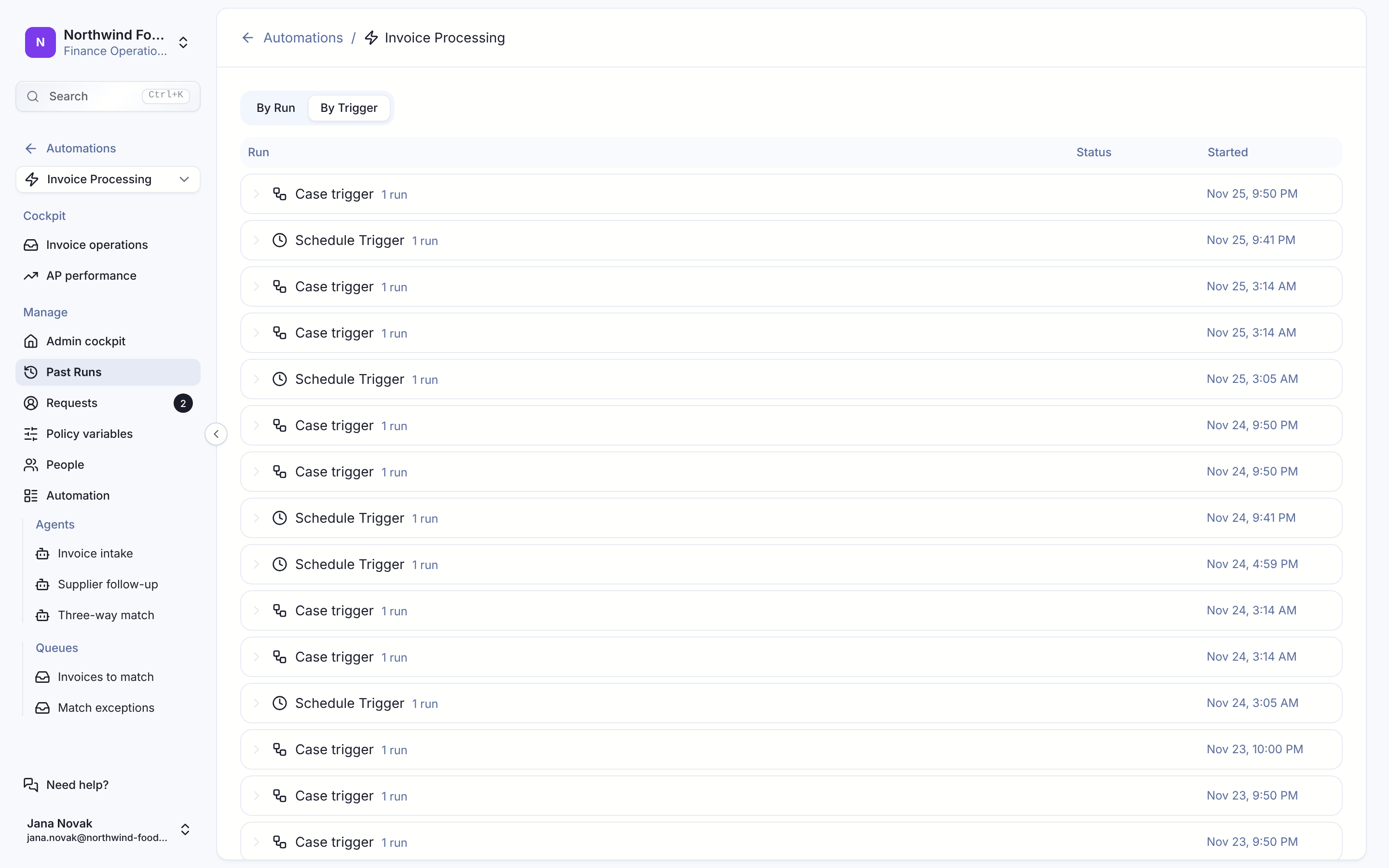
- By Trigger
One row per Automation run, newest first. A run working on a Case is named after the Case, such as Invoice INV-88835 from Baltic Packaging. Columns show Status, Trigger, Created by, Started and Duration.Statuses match the Case or Run behind the row: Success, Completed, Needs Input, Failed and the others described in Queue.
Open a run
Click a run to see what happened.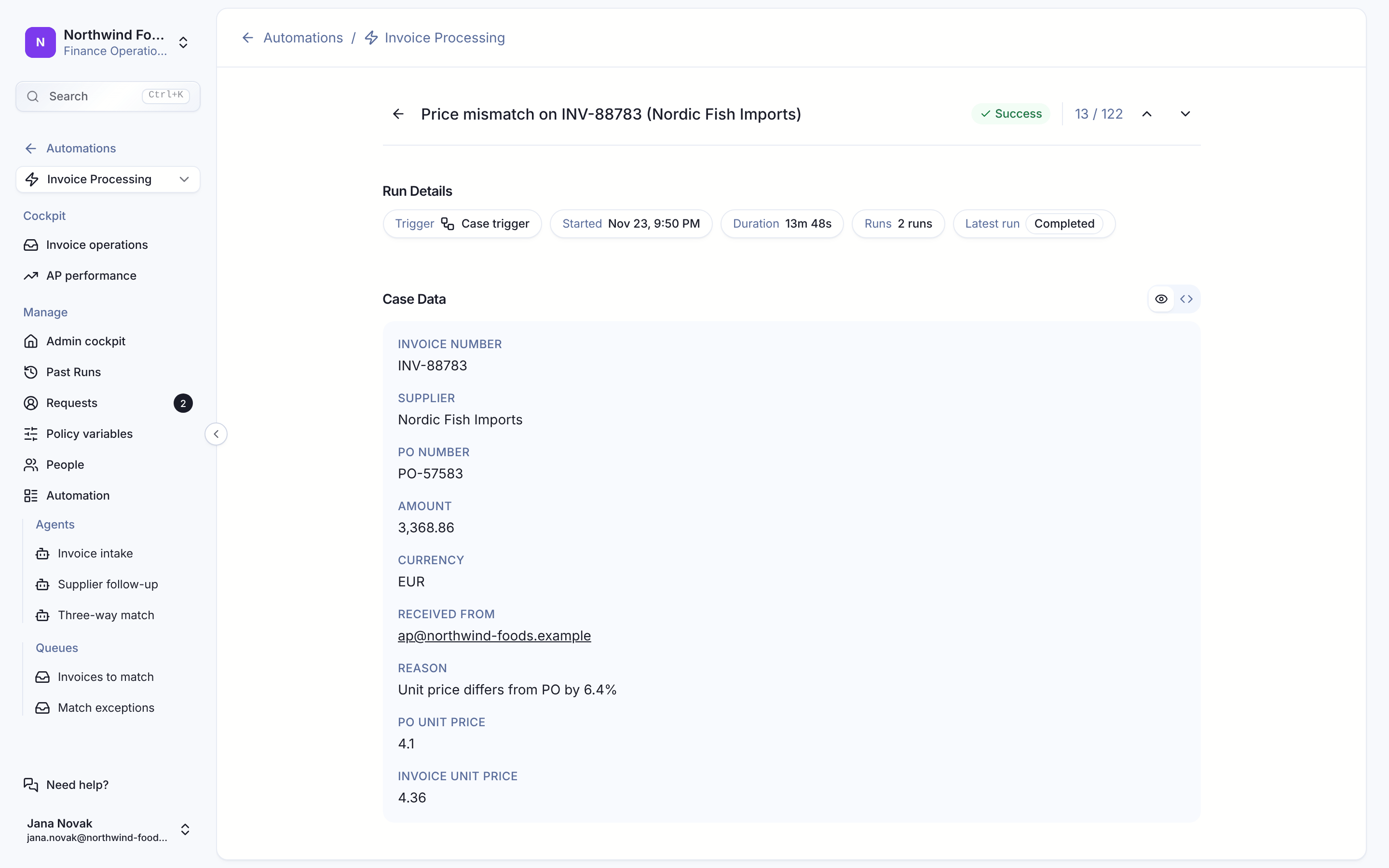
- Run Details sums the run up: what triggered it, when it Started, its Duration, how many Agent Runs it took, and the status of the Latest run.
- Case Data shows the Case the run worked on. Switch between the readable view and raw data with the buttons above it.
- Further down, the Cases the run touched and its activity show each step, so you can see where a failed run stopped.
Requests
When a Run needs a person, such as an approval above a threshold or a question it can’t answer on its own, it pauses and sends a request. The Run’s status and its Case show Needs Input until someone answers.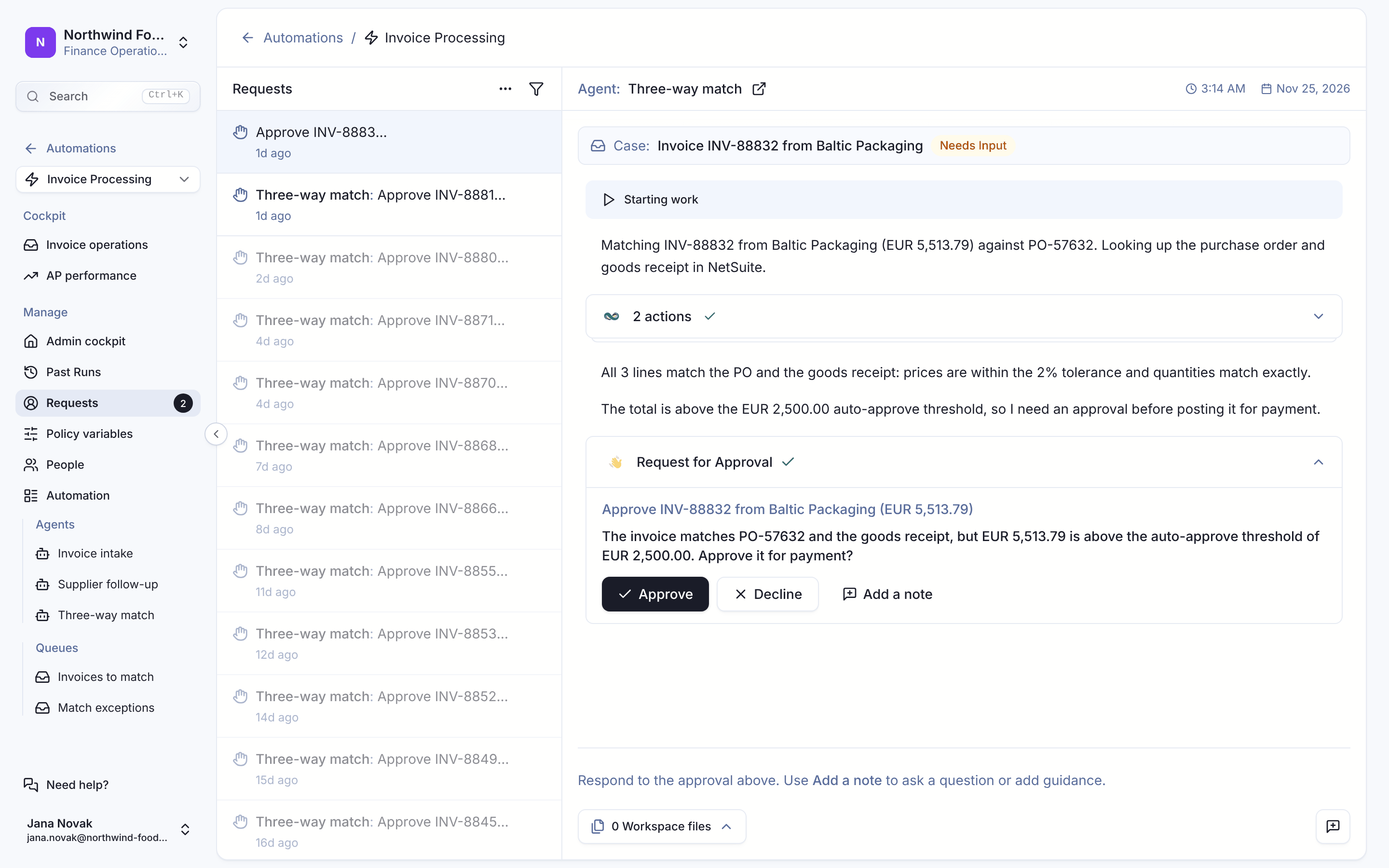
Open the request
Pick a request from the list. Answered requests are dimmed. The filter narrows the list.
Read what the Agent did
The right side shows the Agent, the Case it’s working on, and the steps it took before it asked, so you have the context to decide.
Answer
Click Approve or Decline, and the Run continues. Add a note sends the Agent guidance or a question first; the request stays open until you approve or decline it.
Related
Retries and failures
What happens when a Run fails, and how to recover.
Notifications
Get told when a Run fails or a Connection breaks.